Case study 02, Healthcare, 2019
Every tray in the right place before the first incision.
DinamicOR lets manufacturers, distributors and hospitals agree on how a surgical table is set up, and how a procedure runs, before the patient arrives.
Pre-op
Context and problem
The problem: the operating room ran on memory.
A procedure passes through five organisations before it reaches the table. Only people connected them, using memory, phone photos and paper.
Setups lived in memory
Each surgeon wants their table set a particular way. That knowledge sat in reps’ heads, phone photos and paper.
Five organisations, one table
Manufacturers make the trays, distributors supply them, reps train staff, hospitals run the cases.
Mistakes cost minutes, or more
A missing instrument mid-surgery means delay, re-sterilising and risk.
Assessment
Research and understanding
What I did first: understand the people, before any screen.
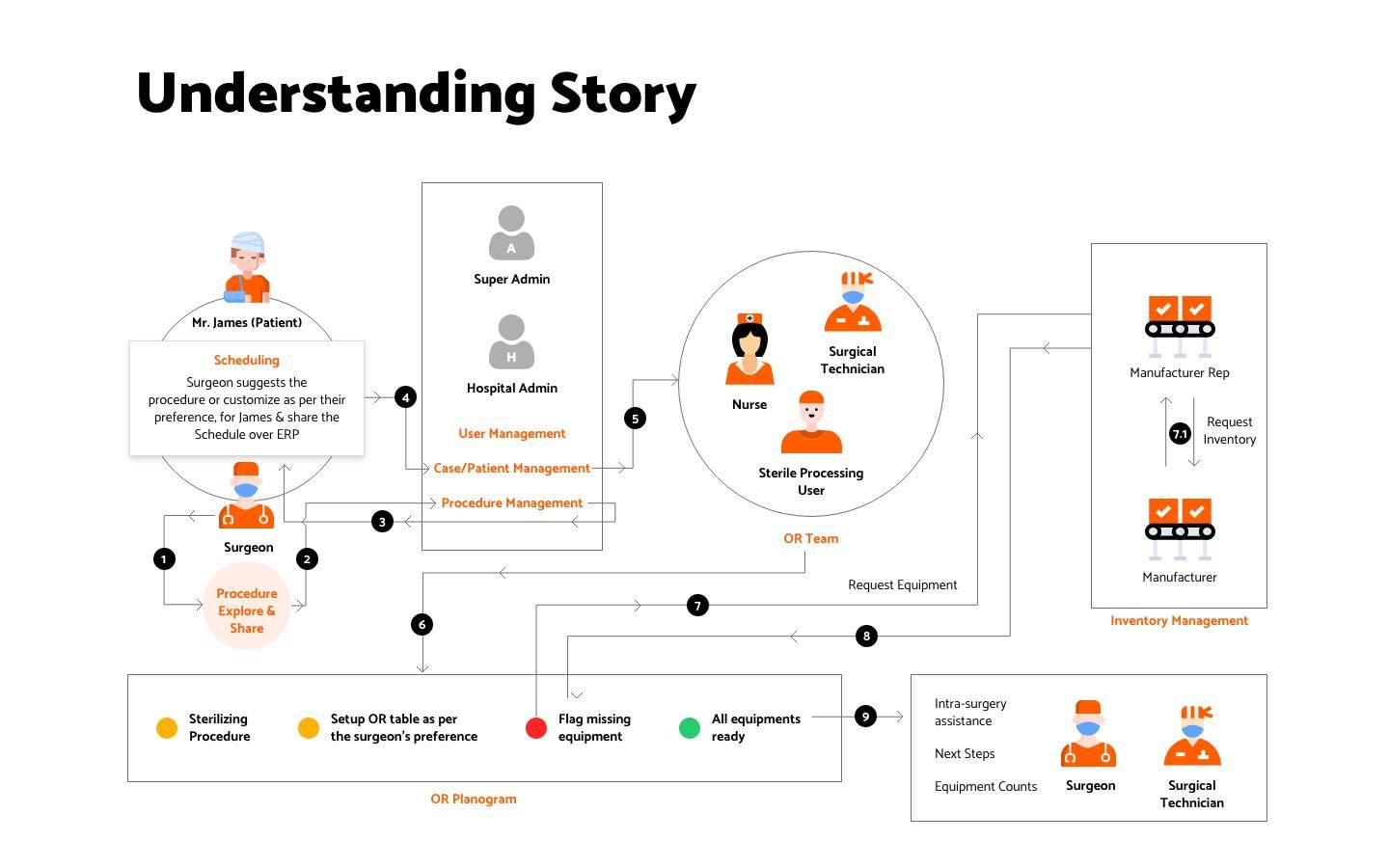
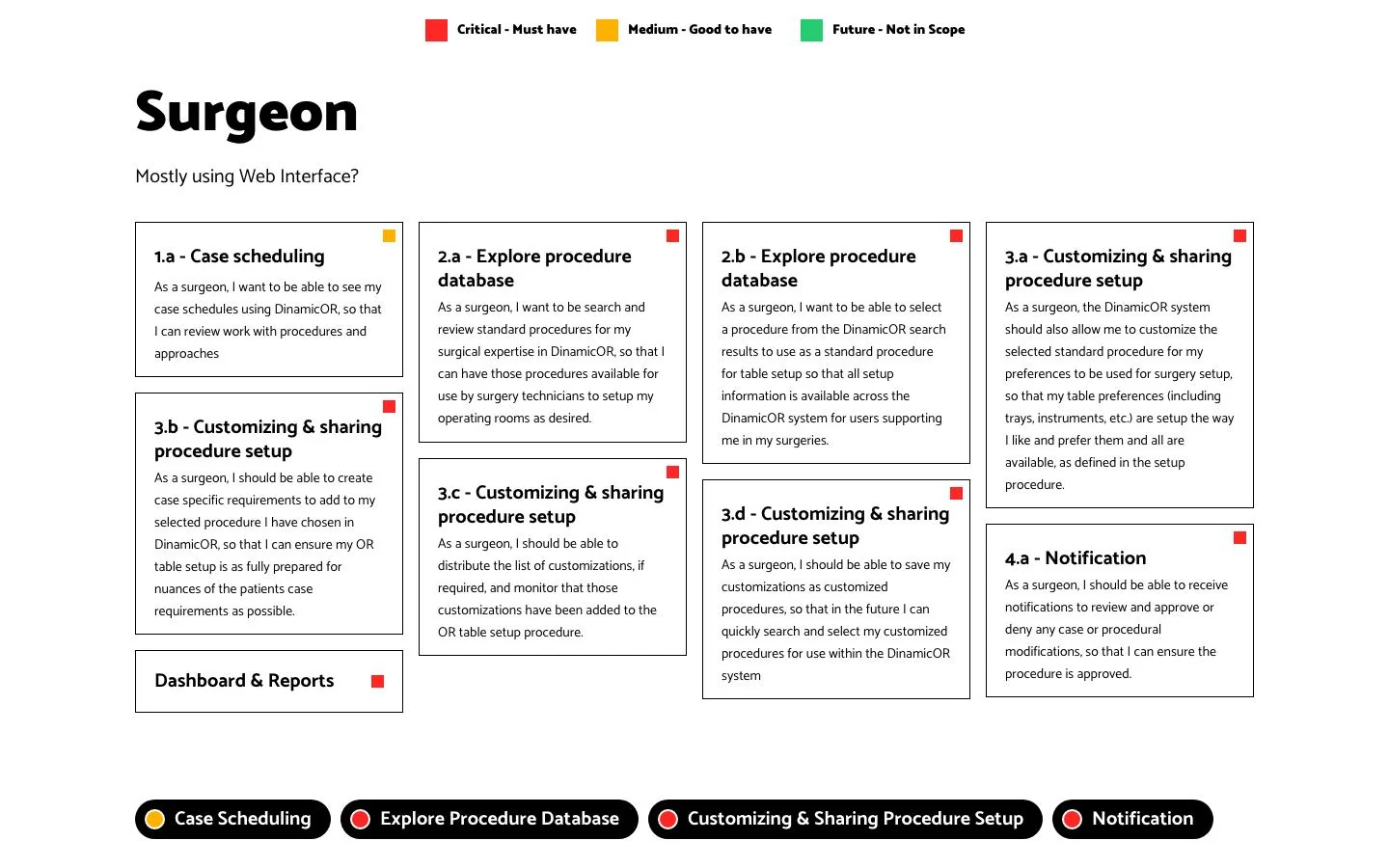
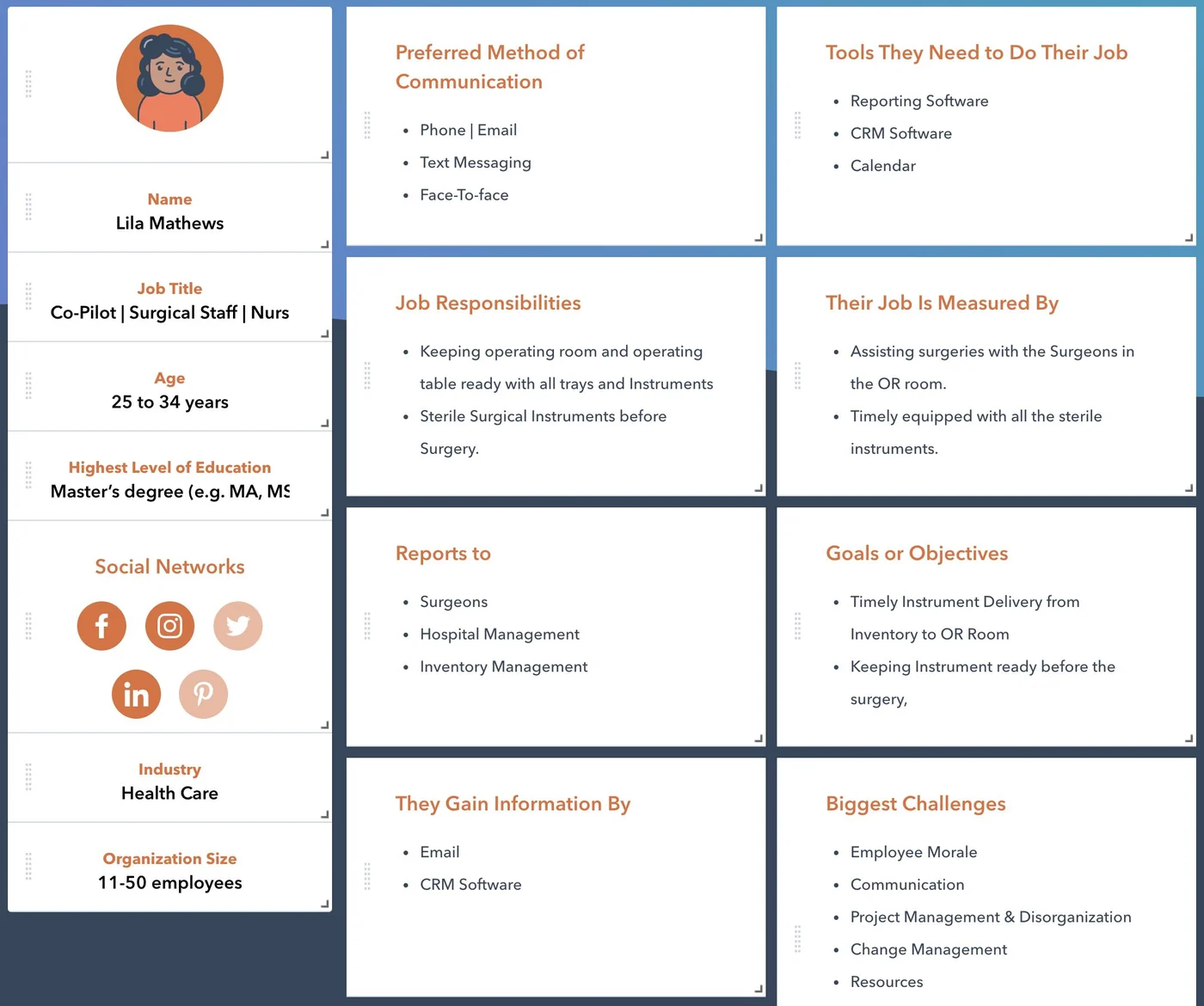
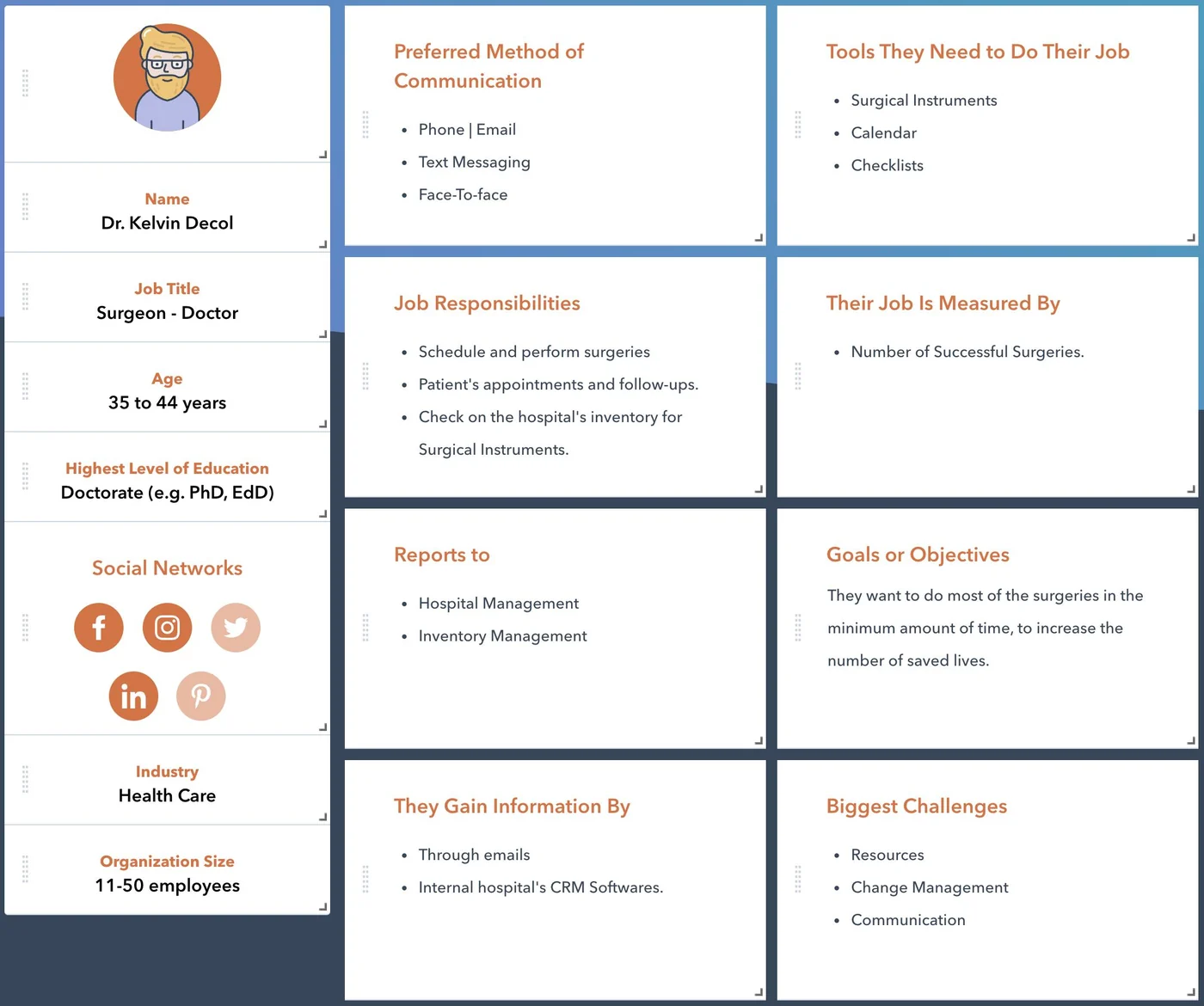
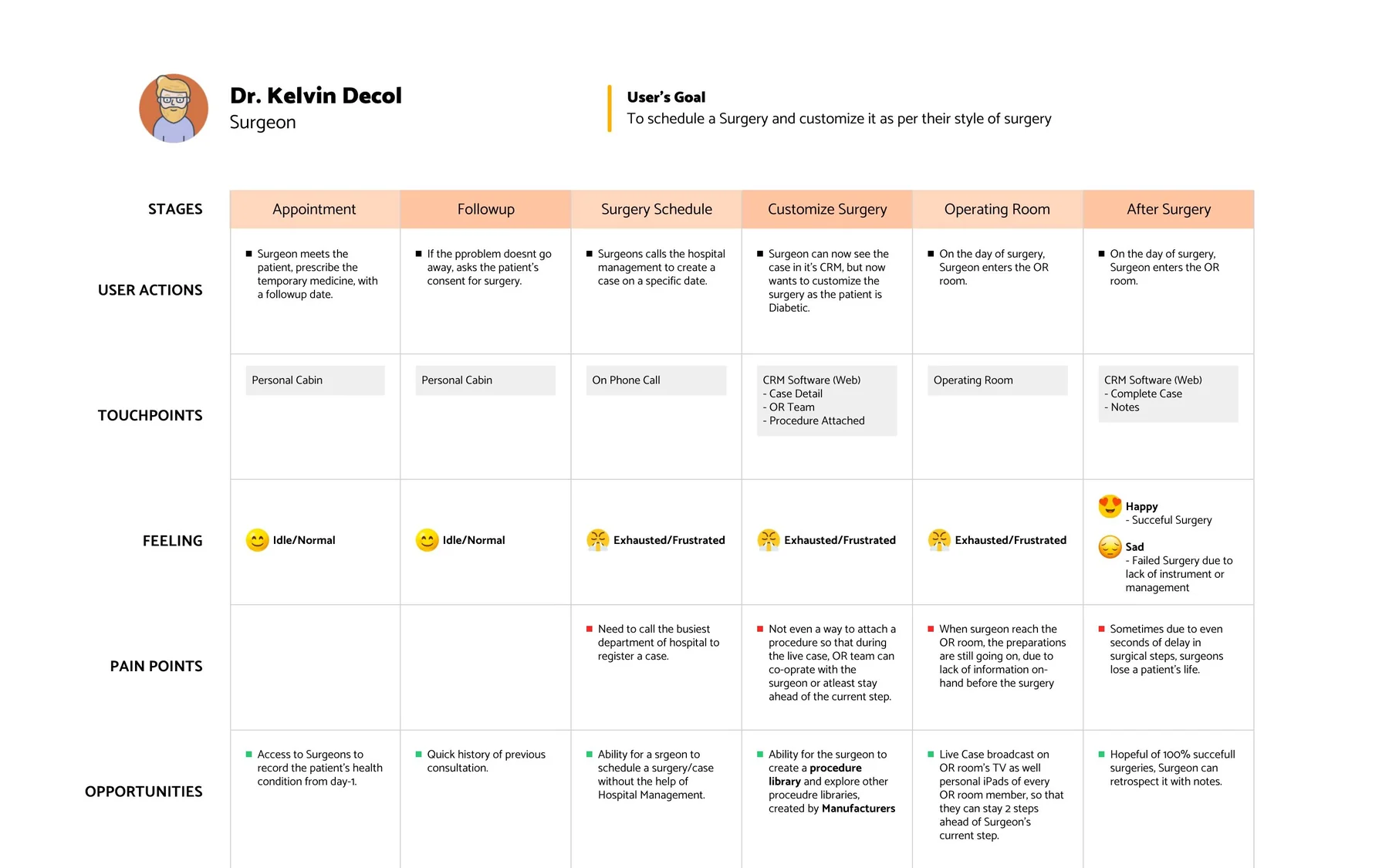
I ran discovery workshops with the client, worked through their requirements and process documents, and spoke with OR staff and medical reps to understand how a procedure really travels to the table. From that I wrote user stories for five roles, two personas and their journeys.
Planning
Domain model and IA
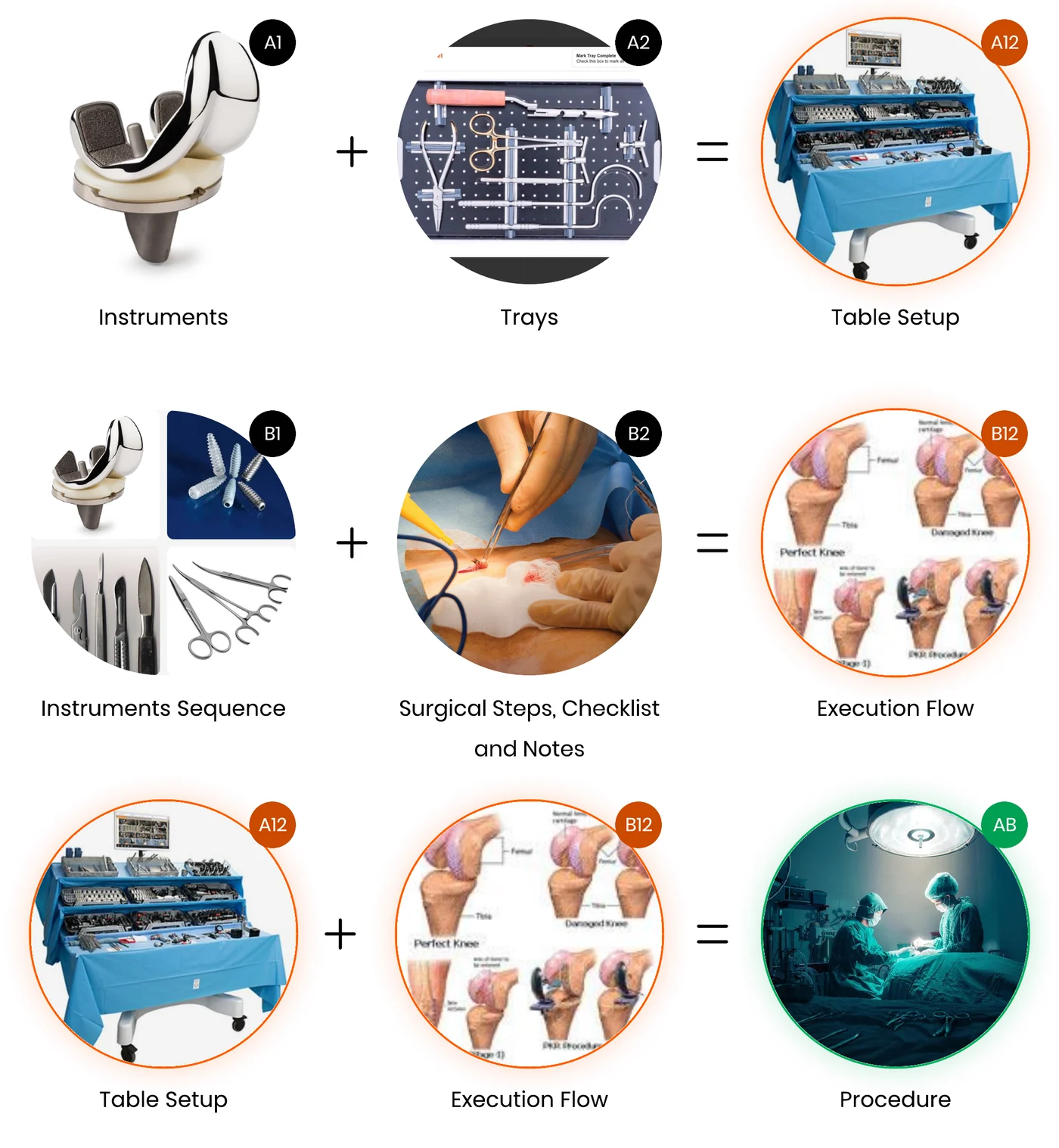
The big idea: a procedure is a simple equation.
Before designing screens, I broke the domain into parts the OR team already used. Instruments and trays make a table setup. Instruments in sequence, with surgical steps, make an execution flow. Together they make a procedure.
That equation became the product’s structure, and the language the whole team used.
Information architecture, top level
Hospitals
- Hospital list and detail
- Staff: admins, surgeons, OR staff
- Upcoming and live cases
- Inventory
Manufacturers
- Manufacturer users and admins
- Regional and area managers
- Medical representatives
- Instruments, trays, procedures
Distributors
- Distributor users and admins
- Medical representatives
- Assigned instruments and trays
- Assigned procedures
Super admins
- Add new admins
- Admin list with filters
- Deleted admins
- Admin detail: name, email, phone
Visibility rule. Hospitals see only the instruments, trays and procedures shared by the reps assigned to them, never another supplier’s setups.
Procedure
Design and decisions
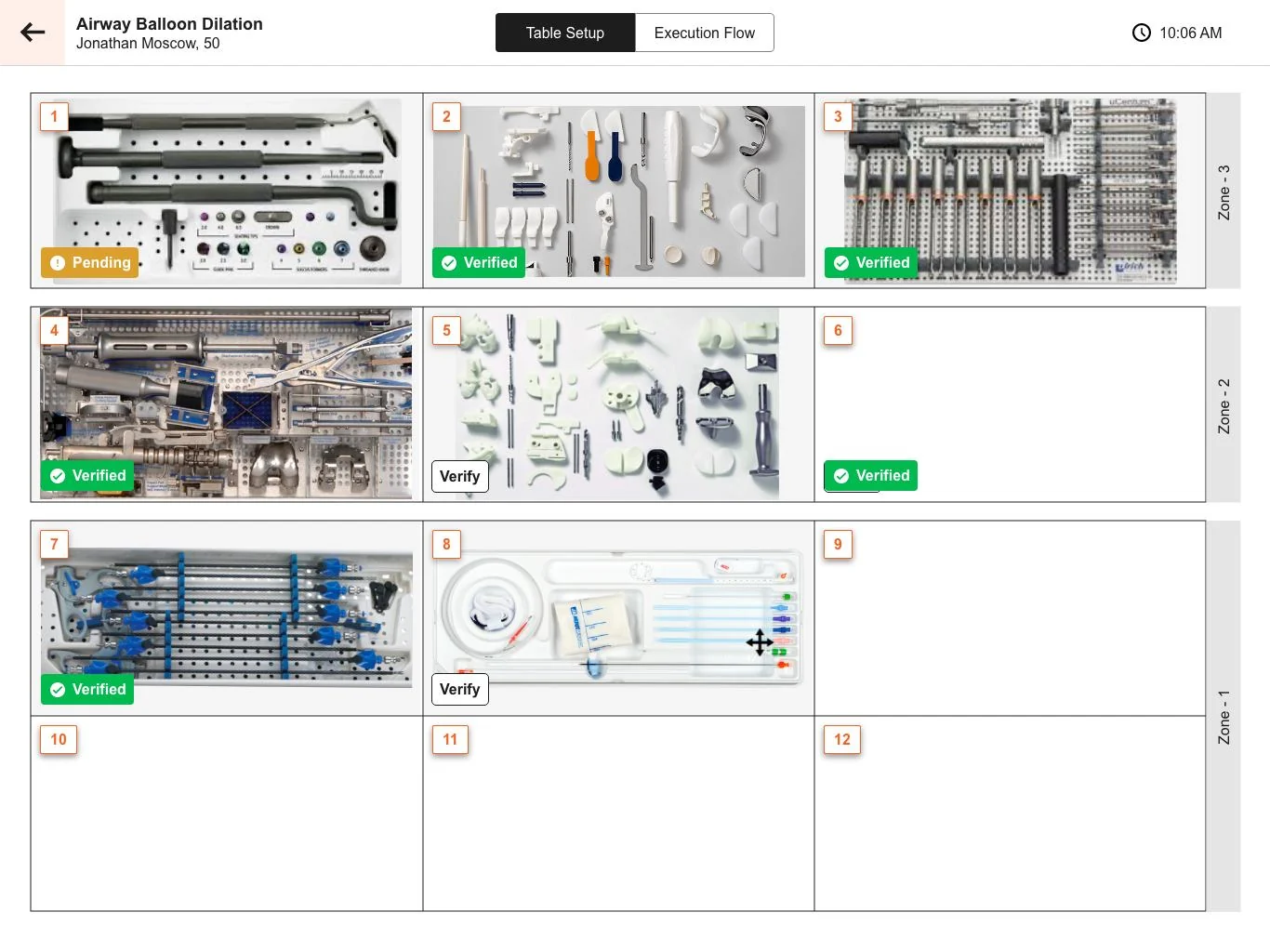
The main screen: a table that matches the real one.
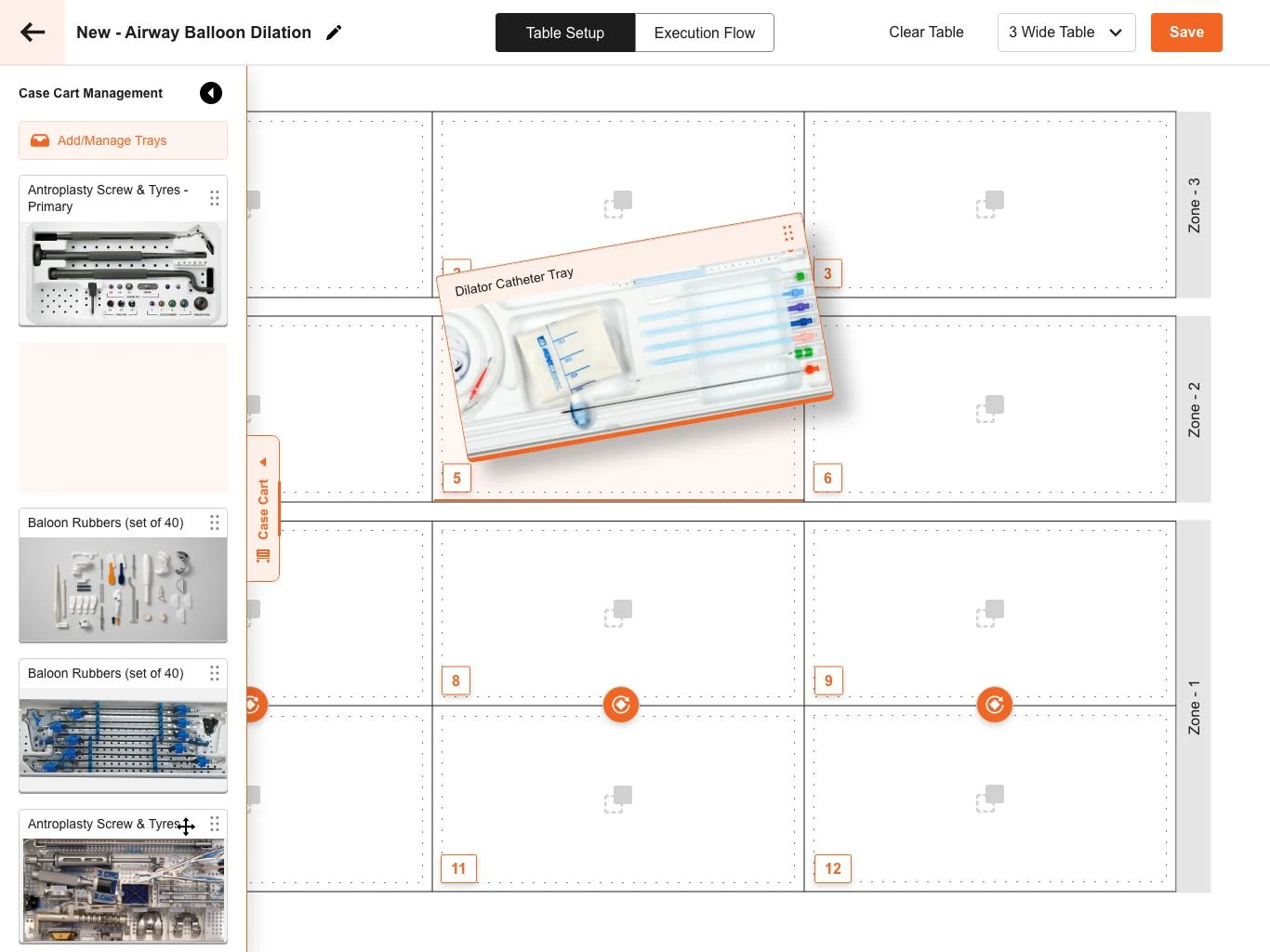
Case cart
Trays from inventory, each with its real photo, dragged onto the table.
Drag and rotate
Trays turn to match how they actually sit on the table.
Zones and numbered slots
A setup can be said out loud: “catheter tray, slot 5, zone 2.”
Rotate in place
One tap per slot, sized for a tablet.
2-wide or 3-wide
The canvas matches the client’s real table models.
Setup and flow
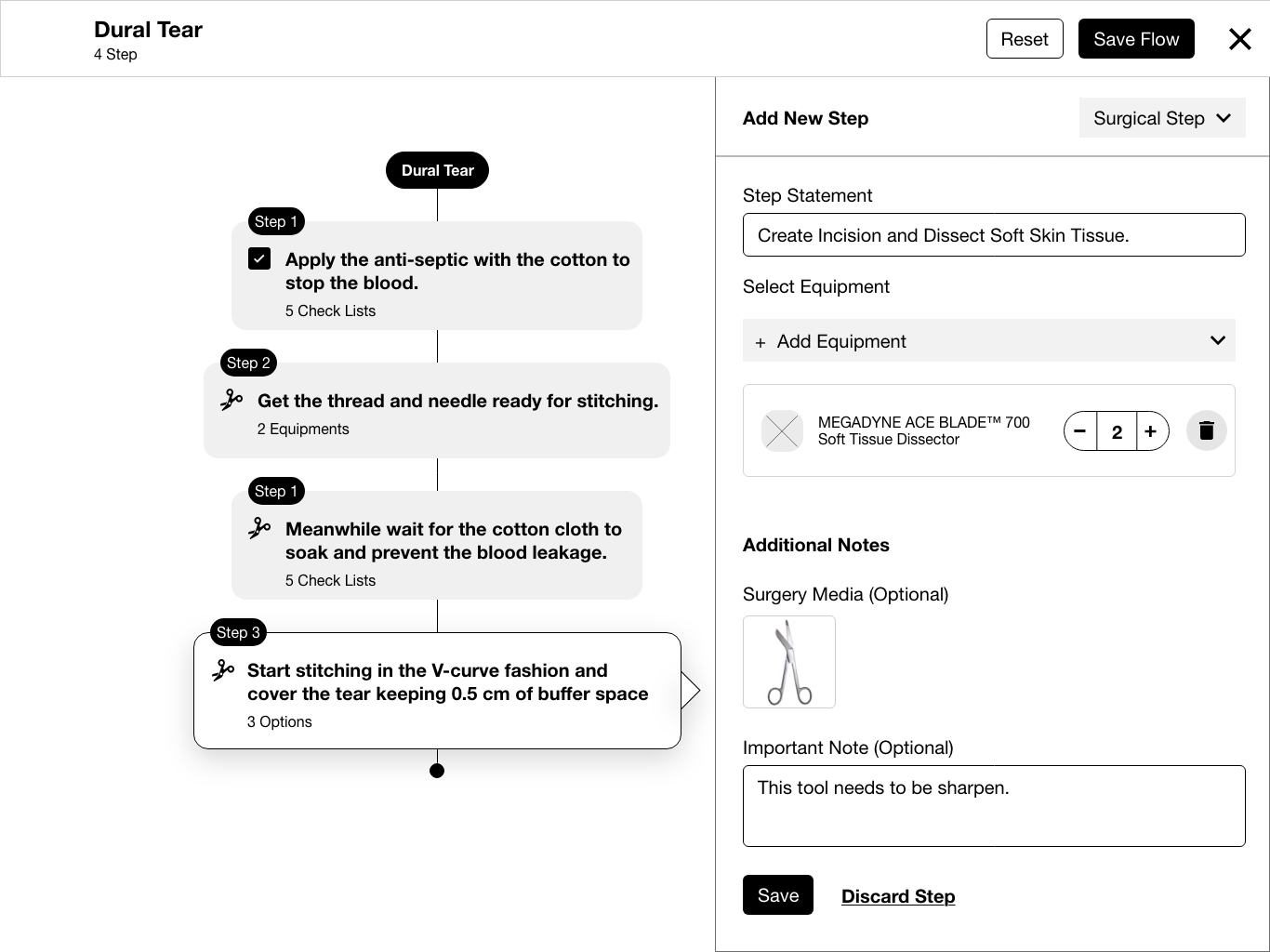
Each procedure has a table setup and an execution flow, one switch apart.
Decision checklist
-
Table setup as a real table
A canvas shaped like the actual two-wide or three-wide table, with real photos, so the screen matches what the tech sees.
Trade-off. Drag and drop on a tablet needed generous hit areas and undo.
-
Procedures as phases and steps
Each step carries its checklist, instruments, media and notes, so staff always know what’s next.
Trade-off. Authoring takes reps longer up front, so editing had to be fast.
-
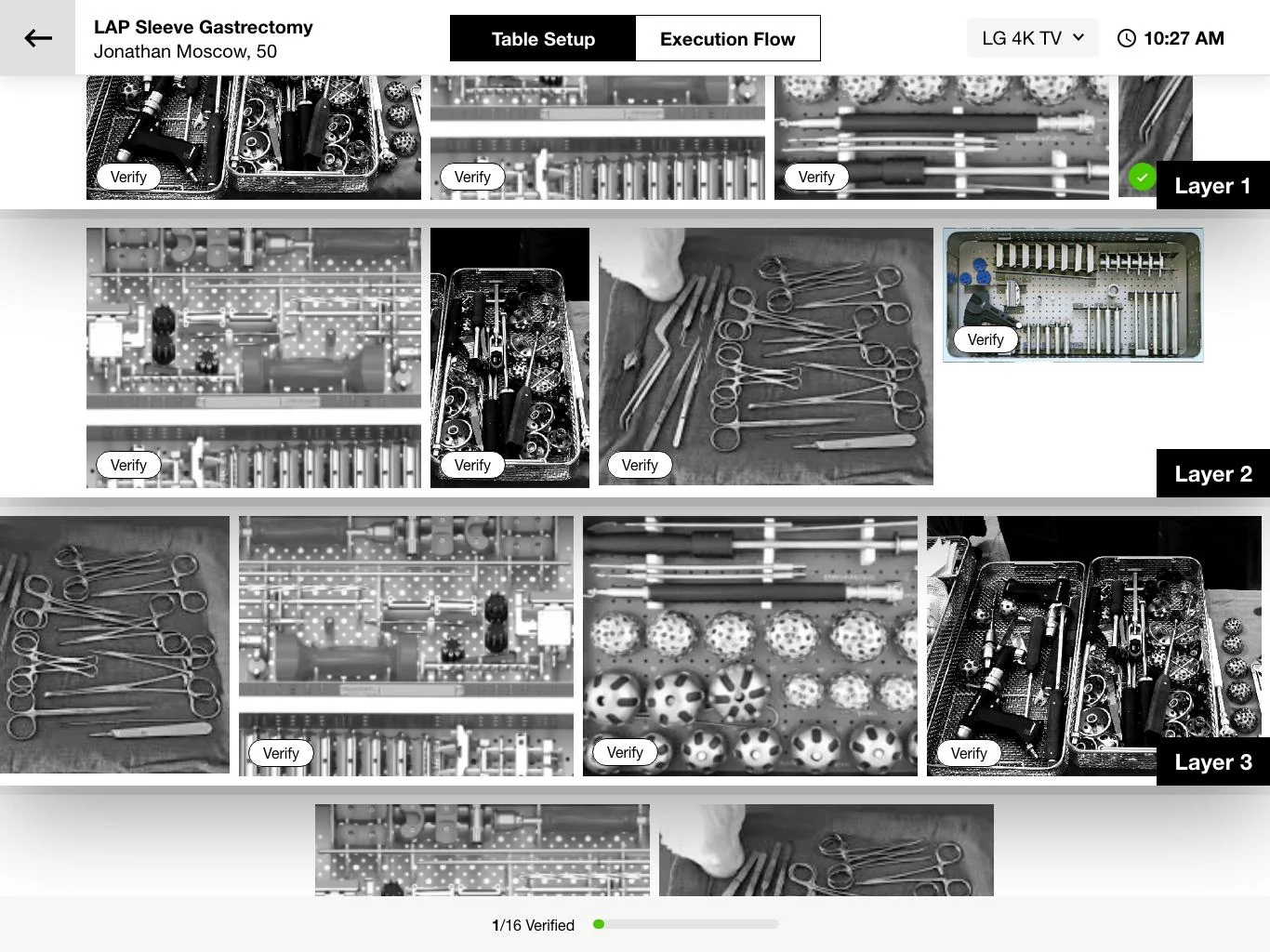
Verify before the case
On the day, each tray is marked verified against the plan, so gaps show up before the first incision.
Trade-off. An extra step for staff, kept to a single tap per tray.
-
Pictures before names
Instruments are recognised visually first, so the catalogue and trays lead with photos.
Trade-off. Image-heavy pages needed careful loading on hospital networks.
Post-op
Outcome and reflection
Launched, in use at hospitals
The result: from memory and phone photos to one shared plan.
DinamicOR launched and is used by hospitals to plan table setups and procedures with their suppliers’ reps.
What I did
- Requirement gathering and discovery workshops
- Conversations with OR staff and reps
- User stories for five roles, personas, journeys
- Information architecture and permission model
- Design direction, weekly design updates with the client
- Feasibility reviews with engineering, handoff of assets
Looking back, I’d now
Test in a mock OR
I’d run setup tasks with real trays and time pressure before high fidelity.
Design for gloves first
Tablet targets sized for gloved hands from day one, not adjusted later.
Measure from launch
Agree setup-time and error metrics with the client before launch.
Next case study, Operations
Running a personal-chef business from one place.